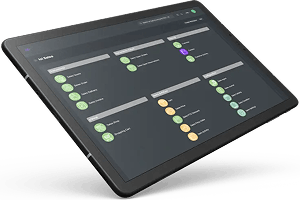


Synchronizing stock movements with digital transactions is the ideal solution to avoid stock quantity errors. The warehouse operator moves items from one warehouse to another and, using a mobile scanner, records the transaction in the ERP system in real time.
To properly follow this fundamental inventory management principle, it is also essential to perform product labeling for item identification within the same synchronization process. The Silicon ioi ERP system integrates real-time label printer management during the preparation or execution of stock transactions.
Typical examples include labeling upon goods receipt, for instance to apply your own barcode in order to manage batches or serial numbers. Another classic example is labeling at the end of, or during, the production process for finished or semi-finished products.
Silicon ioi is capable of using the low-level label formatting languages of professional printers, such as ZPL. This allows you to use the label design tools provided with the printers. You simply transfer the generated formatting code, place the dynamic fields, and obtain ultra-fast label production without latency.
As a cloud-based software solution, the Silicon ioi ERP system can perform direct printing to a local IP address without compromising your system’s security. Naturally, this requires network label printers with a local IP address. Another alternative is to install the QZ Tray tool on workstations. This tool enables print queue management through a web browser in connection with the installed operating system (Windows or Mac).
Label printing can be configured per item so that only the necessary labels are printed. It is also possible to work with multiple label formats. The system automatically redirects print jobs to the correct configured label printer using the appropriate format.
An interesting point: native languages such as ZPL allow specific processing functions, such as activating label cutting tools or writing a serial or batch number into an RFID tag embedded in a label.
All standards supported by the selected label printer can therefore be used, including: Code 39, Extended Code 39, EAN 13, EAN 128, QR Code, and Data Matrix.
Yes, the Silicon ioi ERP system uses counters based on your EAN13 or GS1 company prefix and, upon request, reserves a number for a new item. This allows the tracking and management of numbering ranges and their consumption.
As a reminder, it is essential to reserve a number range from the international GS1 organization. GS1 will assign you a unique company identification code, together with 1,000, 10,000, or 100,000 reserved numbers.
These EAN13 numbers are intended for retail trade. Your retail customers configure and identify the barcode placed on your packaging so that points of sale can scan and uniquely identify the product being sold.
There are more and more barcodes appearing on packages. But which one is the right one? Which one matters to me? Which one should I scan? There is a risk that your operators may become confused. This is precisely the purpose of the EAN128 standard.
These codes are extremely valuable for ensuring error-free scanning. They offer two key characteristics:
- Each barcode begins with an application identifier. This indicates that the following data corresponds to:
- an item code
- a quantity
- a batch number
- a customer reference
- an order reference
- an expiration date, etc.
- It is possible to combine several pieces of information into a single code. With one scan, you can therefore retrieve multiple data fields, and the order of this information does not matter.
- item reference + packaged quantity + package number
- item reference + batch number + manufacturing date
This is a very common scenario, for example when selling long products such as steel bars or steel tubes. The Silicon ioi ERP system allows you to manage different types of units for the same item simultaneously.
Example: I need product lengths, such as steel bars. I therefore order meters (M) of the product, but I negotiate the pricing per kilogram (KG). When I enter the required number of meters, the system automatically displays the corresponding kilograms. If I adjust the kilograms, the system adjusts the meters accordingly. If I enter the agreed price per kilogram, the system automatically calculates the price per meter.
Even more convenient: you can receive goods in meters and precisely control the lengths received. When you receive the purchase invoice, the Silicon ioi ERP system displays the equivalent weight in kilograms received and validated by the warehouse operator.
This system, presented here for purchasing, also exists in a mirrored version for sales. This allows you to sell products using units different from the handling or stock management units. In the Silicon ioi ERP system, these are called external units.
Note: in addition, the ERP system also supports alternative units. This allows you to go even further in stock management using different units.